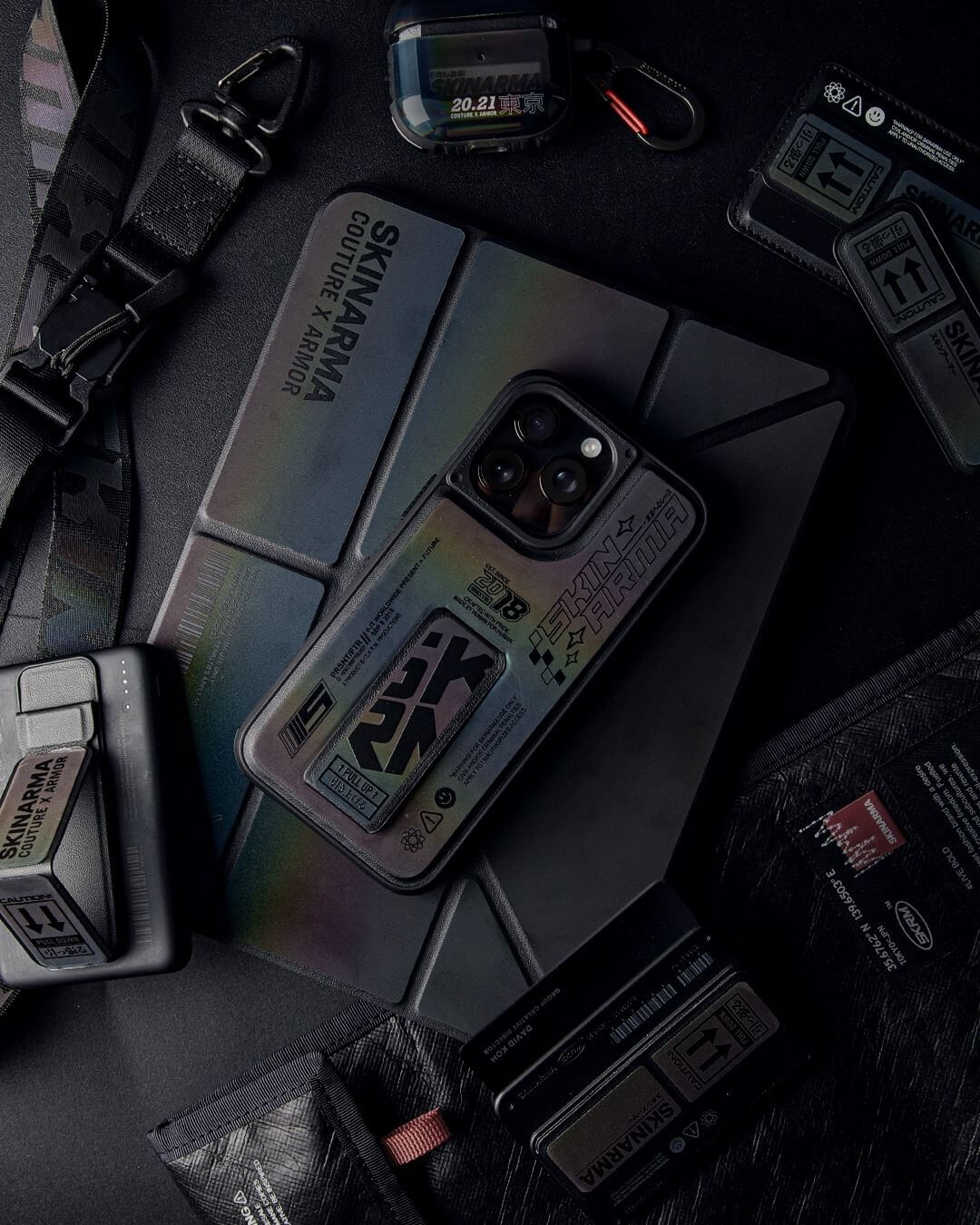
One rough holiday connecting flight can destroy your entire digital life. Your phone, laptop, camera—all that gear you amassed over months and years—gets zero respect from airports during peak season madness. This article is for everyone who’s ever pulled out a device post-flight and felt their stomach drop. Today, we’re breaking down exactly how to fortress-mode your carry-on so your tech survives the holiday season warfare.
Woes of a Modern Traveler
You’re carrying thousands of dollars worth of carefully selected tech through an environment that was never designed to protect it. Every time you step into an airport, your gear enters a free-for-all where baggage handlers treat belongings like basketballs, fellow passengers play Tetris with overhead bins, and security lines mean your laptop gets stacked between plastic bins like cafeteria trays. Factor in holiday travel when airports become exponentially more chaotic and every flight is oversold. The result shows up as cracked screens that weren’t cracked this morning, charging ports that suddenly don’t work, and batteries that mysteriously won’t hold charge.
Sadly enough, most of this damage often happens before you even reach your seat, which means prevention starts way before you get to the airport. The first step is understanding exactly what you’re bringing—and why this detail isn’t one to be dismissed.
Assess Your Tech Arsenal Before You Jet

Before anything goes into your bag, you need to know exactly what you’re working with. Pull out everything: phone, laptop, tablet, camera, headphones, chargers, power banks, adapters. Be honest with yourself about what’s actually essential versus what you’re bringing just because you own it (overpackers, you know who you are).
Your $2,000 camera obviously needs more protection than a spare charging cable, so prioritize accordingly. Think about where each item will live in your bag, because having dedicated spots prevents that wild shuffle where you’re digging through everything and accidentally scratching your phone screen with your keys. This approach gives you a clear game plan before travel-induced stress makes you sloppy with your packing decisions.
Protecting Your Devices from the Wild
Airports and tours alike don’t care about your setup. This means every single device needs its own defense strategy. Your daily driver phone needs protection just as much as those cables you never think about until they fail at the worst possible moment.
Phone
Your phone moves between your hand, your pocket, and your bag constantly during travel. A proper protective case provides the baseline for survival. You want raised bezels that keep the screen and camera lenses off surfaces, shock-absorbing corners that handle drops during gate sprints, and enough grip to prevent slides when you’re juggling boarding passes and coffee. Keep your phone in an easily accessible pocket rather than buried in the main compartment where it becomes a pinball.
Chargers, Cables and Power Banks
Cables get tangled, crushed, and bent at weird angles during travel, eventually breaking down even when the outside looks fine. Chargers get buried under heavy items that crack their casings or damage their prongs. Power banks are particularly vulnerable because they must stay in your carry-on and any physical damage can render them useless or dangerous. A dedicated tech pouch with elastic loops keeps everything organized and protected from itself. Invest in braided cables that can handle being packed repeatedly, and bring backups for critical chargers like your laptop brick.
AirPods and Accessories
Your AirPods’ standard charging case offers minimal drop protection, which spells trouble when it’s bouncing around your bag or slipping out of pockets when on the move. A protective case adds the shock absorption and grip the original design lacks, preventing those hinge cracks that render the charging case useless. Look for cases with carabiner clips so you can secure them to bag loops or key rings. As added insurance, store AirPods along with accessories like Apple Pencils, dongles, and memory cards in a dedicated zippered pocket where they won’t get crushed by heavier items or lost in the mess of your main compartment.
If It’s Not Built to Take a Hit, It’s Not Ready for the Trip
Mall kiosk impulse buys won’t cut it when your bag gets thrown around by someone who’s handled 500 bags before yours today. You need travel-grade protection: properly padded laptop sleeves, hard-shell cases for cameras, reinforced pouches for tablets. Test whether something can survive being dropped from waist height or compressed under weight before you’re standing at the gate.
At SKINARMA, we’ve done the heavy lifting—our products pass the tests before they reach your hands.
Let’s Talk About the Bag

Your bag either protects everything or fails everything, regardless of how good your individual cases are. You need water-resistant exterior fabric, a padded laptop compartment separate from the main space, and external pockets for quick security access. Quality matters because this bag carries thousands in equipment. Robust zippers, reinforced stitching, and proper weight distribution separate bags that impress from bags that disappoint when you need them most.
Some recommendations:
-
JAGER Backpack: Ripstop nylon exterior with integrated 14” laptop sleeve, padded compartments, and trolley sleeve, built for outdoor adventures and urban commutes alike.
-
JAGER Zip Utility Tote Bag: Wide-fit tote with full zip closure, padded interior, and 5 inner pockets inclusive of an integrated laptop sleeve, perfect for day-long hauls that need easy top access.
-
JAGER Crossbody Bag: Water-resistant shell with 2 main compartments housing 2 inner pockets each. A magnetic crossbody strap clasp lets you detach and go in seconds. Actually keeps a water bottle.
More Travel-Proof Tactics
Protection comes from what you buy and how you think. Smart packing techniques, environmental awareness, and consistent maintenance routines separate people who arrive with functioning gear from people who learn expensive lessons.
Shield Against Friction and Impact
Heavy items go at the bottom, closest to your back, which keeps weight distribution stable and prevents crushing lighter items. Never let hard objects touch each other directly (we learned the hard way); use clothing or packing cubes as buffers between devices. Everything needs to be secured so nothing shifts when your bag gets moved. Loose items become projectiles on conveyor belts.
Guard Against Heat, Moisture and Pressure
Never put devices in checked luggage where cargo holds drop to freezing temperatures, even if you’re allowed to. Keep tech away from liquids because pressure changes at altitude make sealed bottles leak. Throw silica gel packets into your tech pouch to absorb moisture, and let cold devices warm to room temperature before powering on. Weather, altitude, temperature swings—travel exposes your tech to all of it, so plan accordingly.
Clean, Inspect and Recharge the Right Way
After every flight, wipe down your devices and check charging ports for debris that causes connection issues. Test everything before your next trip, not at the gate when you realize something doesn’t work. When storing devices between trips, consider charging them to 50-80% rather than 100% for better long-term battery health.
Travel-Proof Maintenance Routine
Weekly, check all cables and cases for wear. Monthly, clean charging ports with a soft, dry brush. Quarterly, assess your protection gear because cases crack and padding compresses. Before every trip, run a full device inspection, back up critical data, and confirm everything charges properly.
When to Replace, Not Repair
-
Cases showing cracks or compression damage: The protection is already compromised, which means the next impact goes straight to your device. Replace immediately rather than gambling.
-
Cables with frayed sections exposing wire: These are legitimate fire hazards and can damage your device’s charging port. Toss them without guilt.
-
Bags with broken zippers or torn seams: Your gear’s security is completely compromised. A bag that can’t stay closed or hold weight properly has lost its primary function.
-
Batteries draining abnormally fast or getting hot: Degraded battery cells are dangerous during travel, especially on flights where they’re a safety concern. Replace before they fail catastrophically.
-
Devices with existing screen damage: Small cracks spread fast under the stress and pressure of travel. Either get them professionally repaired or upgrade before they fail completely and potentially damage internal components.
-
Anything you’re holding together with tape or creative problem-solving: If you’re actively rigging something to work, it’s already done. Replace it before it fails at the worst possible moment and potentially takes other gear down with it in the process.
We Keep You Covered, From Boarding Gate to Backstreet

Holiday travel season is coming, and it doesn’t care about your gear. But we do.
SKINARMA’s got the protection your tech actually needs, designed with the same attention you put into your drip of the day. From impact-resistant phone cases engineered for real drops to bags built for actual use rather than just aesthetics, we’re about the stuff that performs when it matters most.
Explore our full range of streetwear-inspired tech accessories and carry solutions that keep you protected from check-in to final destination. Your devices survived the unboxing experience. Now, make sure they survive the journey, too.